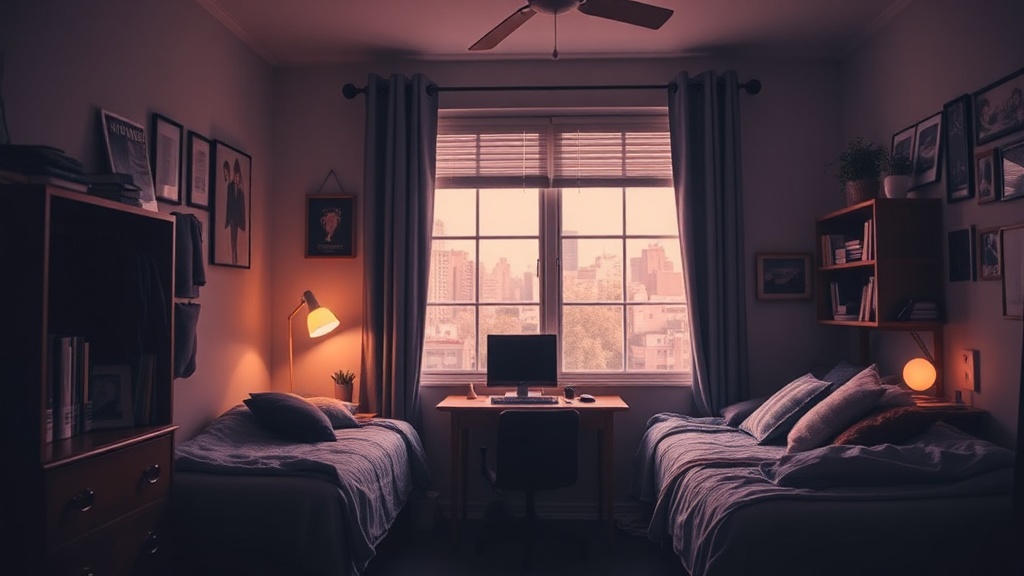
4 Ways to Turn Your Dorm Room Into a Focus Sanctuary

Control Your Soundscape with Lo-Fi or Brown Noise
Use Lighting to Signal Work Time
Create a Dedicated 'Deep Work' Scent
Maximize Vertical Surface Area for Clutter Control
A student sits at a cramped wooden desk, staring at a laptop screen that's inches from their nose. The room is buzzing with the sound of a roommate's FaceTime call, the hum of a mini-fridge, and the heavy vibration of a passing elevator. They try to focus on a biology reading, but the visual clutter of unfolded laundry and empty snack wrappers makes it impossible to stay on task. This isn't just a lack of willpower—it's a bad environment.
Your dorm room is a strange hybrid of a bedroom, a dining hall, and a library. Because these spaces are often small and poorly designed, they can easily become sources of distraction rather than productivity. This post breaks down how to reclaim your space by managing light, sound, and visual cues so you can actually get your work done without feeling like you're losing your mind.
How Can I Block Out Noise in a Dorm?
The best way to block out dorm noise is to use a combination of active noise-canceling technology and consistent ambient sounds. While you can't control your neighbor's music or the person shouting in the hallway, you can control what your ears actually process. It’s about creating a "sound cocoon" that signals to your brain that it's time to work.
Noise-canceling headphones are the gold standard here. If you have the budget, the Sony WH-1000XM5 headphones are incredible at blocking out low-frequency hums like fans or heavy footsteps. If you're on a tighter budget, even a pair of basic Loop Earplugs can help dampen the sharp, distracting sounds of a roommate talking.
I also highly recommend using white noise or "brown noise." White noise is a steady, high-frequency hiss, while brown noise is deeper and more like the rumble of a distant ocean. Many students find that playing a "Brown Noise" track on Spotify or YouTube helps drown out the erratic sounds of a busy dorm hallway.
Here is a quick breakdown of your sound-management options:
| Method | Best For... | Cost Level |
|---|---|---|
| Noise-Canceling Headphones | Constant, heavy background noise | High |
| White Noise Apps | Masking voices and sudden sounds | Free/Low |
| Earplugs | Total silence during sleep or deep study | Low |
| Lo-Fi Playlists | Focusing without being too distracting | Free |
One thing to watch out for: don't use lyrics-heavy music while trying to read. Your brain's language processing center will try to follow the words in the song, which pulls you away from your textbook. Stick to instrumental tracks or ambient sounds to keep your cognitive load low.
How Do I Organize a Small Desk for Studying?
Organizing a small desk requires a "vertical mindset" where you use every inch of available space above the surface. Most dorm desks are tiny, and if you don't manage the clutter, your workspace will quickly become a graveyard of half-empty water bottles and loose papers.
Start by getting your desk off the floor. Using a small rolling cart—like the Target Brightroom utility carts—can hold your textbooks, notebooks, and pens, leaving your actual desk surface clear for your laptop and a notebook. This keeps the "mess" contained in a specific zone rather than spreading across your workspace.
If you find yourself constantly looking for your charger or headphones, try a small desk organizer. Even a simple tray can prevent the "junk drawer" effect. Also, don't forget the importance of a dedicated tech station. A dedicated spot for your phone and charging cables prevents them from drifting into your workspace and becoming a distraction.
If you struggle with the urge to check your phone every five minutes, you might want to try the Two-Minute Rule to stop procrastinating. It's a great way to build momentum when the desk feels overwhelming.
Pro-tip: Keep your desk surface "clean" at the end of every night. It takes two minutes, but waking up to a clear desk makes starting your work the next morning much less daunting.
How Can Lighting Change My Focus?
Lighting is one of the most overlooked aspects of student productivity, but it's a massive factor in how alert you feel. Standard dorm lighting is usually a single, harsh overhead fluorescent bulb that can cause eye strain and headaches. This is particularly bad during late-night study sessions.
To create a focus sanctuary, you need "layered lighting." This means having a dedicated task light for your desk and a softer, warmer light for the rest of the room. A small desk lamp with adjustable brightness allows you to direct light exactly where you need it, which helps prevent your eyes from wandering to the rest of the room.
Consider these three types of lighting for your dorm:
- Task Lighting: A focused lamp (like a BenQ screen bar) that illuminates your notes without glare.
- Ambient Lighting: Warm LED strips or a small bedside lamp to make the room feel cozy and less "clinical."
- Natural Light: Whenever possible, try to position your desk near a window. Sunlight helps regulate your circadian rhythm, which is vital for sleep hygiene.
If you're a night owl, be careful with blue light. Using a blue light filter on your laptop or wearing blue light-blocking glasses can help prevent the "wired but tired" feeling when you're trying to wind down after a long study session.
How Do I Minimize Visual Distractions?
Visual distractions are the silent killers of concentration. If your eyes land on a pile of laundry or a messy bed every time you look up from your laptop, your brain is constantly processing that "unfinished business." You need to create a visual boundary between your "work zone" and your "living zone."
The most effective way to do this is through physical separation. If you have a lofted bed, use the space underneath for your desk. If not, use a small tension rod and a curtain to create a "partition" around your desk area. This creates a mental boundary—when you are behind the curtain, you are at work; when you are outside it, you are relaxing.
Beyond large-scale furniture, think about the "micro-clutter" on your desk. A single stray paperclip or a pile of sticky notes can be a distraction. Keep your immediate field of vision as empty as possible. If you're working on a heavy research project, you might even find it helpful to use a second monitor for research to keep your sources visible while leaving your main screen clear for writing.
Quick Checklist for a Focus-Ready Room:
- Clear the desk of everything except what you need for the current task.
- Hide any electronics (phones, tablets) in a drawer or a designated "charging station" away from your hands.
- Use a desk mat or a large mousepad to define your workspace area.
- Keep your "chill" stuff (video game controllers, snacks, hobby items) out of your direct line of sight.
The goal isn't to live in a sterile, empty room. It's to ensure that your environment supports your goals rather than fighting against them. When you control your sound, your light, and your sight, you're not just studying—you're building a system for success.